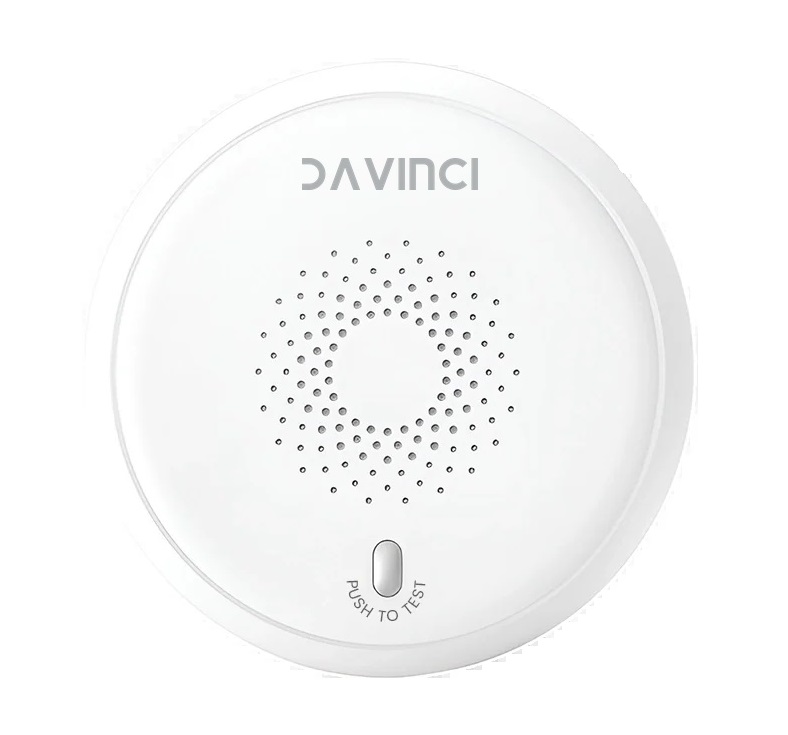
Smoke Detector ZigBee
Model DV-SEN-S1
This product uses advanced optical sensing to detect smoke in the early smoldering stage, sending wireless signals and sounding an alarm to help users respond…
Product detailsThe Art of Intelligence
DAVINCI / BE SMART
Better awareness begins with the right information, in the right place.
Explore the technology01 / AN INTRODUCTION
Sensors make connected spaces responsive. Rather than waiting for someone to open an app, an automation system can respond to changes in a room: movement, occupancy, temperature, humidity, the opening of a door or another measurable condition. Each sensor contributes a limited piece of information, and the quality of the experience depends on interpreting that information correctly.
The DAVINCI Smart Sensors category focuses on sensing for convenience, comfort and home automation. It is important to distinguish those purposes from certified life-safety detection or professional intrusion protection. A general-purpose smart home sensor must not be treated as a substitute for a dedicated fire detector, carbon-monoxide alarm or professionally specified security device.
02 / THE DETAILS
Browse the DAVINCI models listed for this category. Individual product specifications, available integrations, regulatory information and documentation will be provided on each product page as they become available.
Model DV-SEN-S1 This product uses advanced optical sensing to detect smoke in the early smoldering stage, sending wireless signals and sounding an alarm to help users respond…Smoke Detector ZigBee
03 / THE DETAILS
A motion detector identifies a kind of movement, while a presence sensor may be designed to detect occupancy in a different way. A contact sensor reports a change in an opening, and an environmental sensor can supply readings such as temperature or relative humidity. These are different signals, even when the resulting home automation looks similar to the user.
Define the purpose first: should a light turn on when someone enters, remain on while a space is occupied, or switch off after a period with no reported activity? The answer affects sensor selection, number of sensors, placement and delay settings. Good logic is often more valuable than adding extra devices.
04 / THE DETAILS
Mounting location changes what a sensor can detect. Room geometry, doors, partitions, glass, furniture, heat sources, moving curtains and other conditions may influence results. A sensor aimed across a frequently used doorway may support a different automation than one placed in a larger living area. Test the intended position before fixing it permanently.
Environmental sensing has its own requirements. A temperature sensor near direct sunlight or an active heat source may not represent the room, while humidity measurements in bathrooms can change quickly. Use product-specific guidance for mounting heights, detection angles, measurement ranges and recommended operating conditions.
05 / THE DETAILS
Sensors become most useful when connected to clear actions. A hallway sensor might support courtesy lighting; a contact sensor might indicate whether a window is open before a climate routine runs; a temperature reading could inform a scheduled comfort scenario. These examples describe system-design possibilities, not confirmed capabilities of every individual device.
Automation should include exceptions and overrides. Pets, visiting guests, quiet hours, sleep schedules and unusual routines can challenge simplistic rules. It is sensible to decide how long an event remains active, whether the resident can pause a routine and what should happen when a signal is unavailable.
06 / THE DETAILS
Sensors vary in how they communicate, report measurements and consume power. Some designs send event updates, others report periodically, and different radios or gateways may be involved. Reporting frequency, signal quality and the amount of automation traffic should be considered together when planning coverage across several rooms.
Notifications can reveal patterns of occupancy or daily activity. Limit alerts to meaningful events, use appropriate access permissions and review where sensor histories are stored. When choosing a model, confirm its actual communications method, maintenance requirements, operating range and any supported privacy controls.
07 / THE DETAILS
08 / THE DETAILS
09 / THE DETAILS
A sensor is most valuable when its information leads to a useful, understandable action. Movement or presence can inform a lighting routine; a window contact may help a compatible climate controller avoid an unsuitable heating or cooling schedule; and temperature or humidity readings can support comfort decisions when placed correctly. The supported connection between a sensor, gateway and controlled equipment must be confirmed for each model.
Connected sensor reports can also reveal household patterns. Configure notifications and access permissions thoughtfully, retain only the history needed for the intended purpose and account for missing or delayed readings. Physical placement, battery access, approved mounting components and maintenance are as important as the automation rule itself.
General-purpose home sensing is different from certified fire detection or professional intrusion protection. Do not rely on a convenience-oriented sensor as a substitute for a dedicated safety device unless the individual product has the required documented approval.
10 / THE DETAILS
No. Different sensing technologies respond to different conditions and can behave differently when a person is relatively still. Select by the type of event you need, and verify the actual product's operating characteristics.
There is no universal mounting point. It depends on the sensor technology, room layout, environmental conditions and intended automation. Follow documented installation instructions and test the position in the actual space.
A general smart home sensor should not be assumed to meet professional fire or intrusion detection standards. Dedicated safety and security devices must be chosen and installed for their intended regulated functions.
No. Some products communicate directly with a compatible network or controller, while others depend on a separate hub. Each model will identify its requirements when the DAVINCI product documentation is available.
Only in a compatible system with a suitable HVAC controller and a configured rule. The sensor alone reports a condition; it does not guarantee control of the connected appliance.
11 / THE DETAILS
A responsive home starts with purposeful sensing and careful configuration. Combining meaningful signals, thoughtful placement and understandable routines can make automation feel natural rather than intrusive.
Use this category as a planning reference, then consult the verified specifications of each DAVINCI sensor for sensing method, coverage, connectivity, power and environmental limits.